

Meta rolls out platform updates like clockwork, and if you’re not paying attention, you might miss features that could transform how your patterns reach your customers. This quarter brings five significant updates to Instagram and Instagram Edits that directly impact how designers market their work, tell their story, and monetize their content.
The good news? These aren’t complicated features requiring technical expertise. They’re practical tools designed to help creators like you work smarter. Let’s break down what’s new and how to use it strategically.
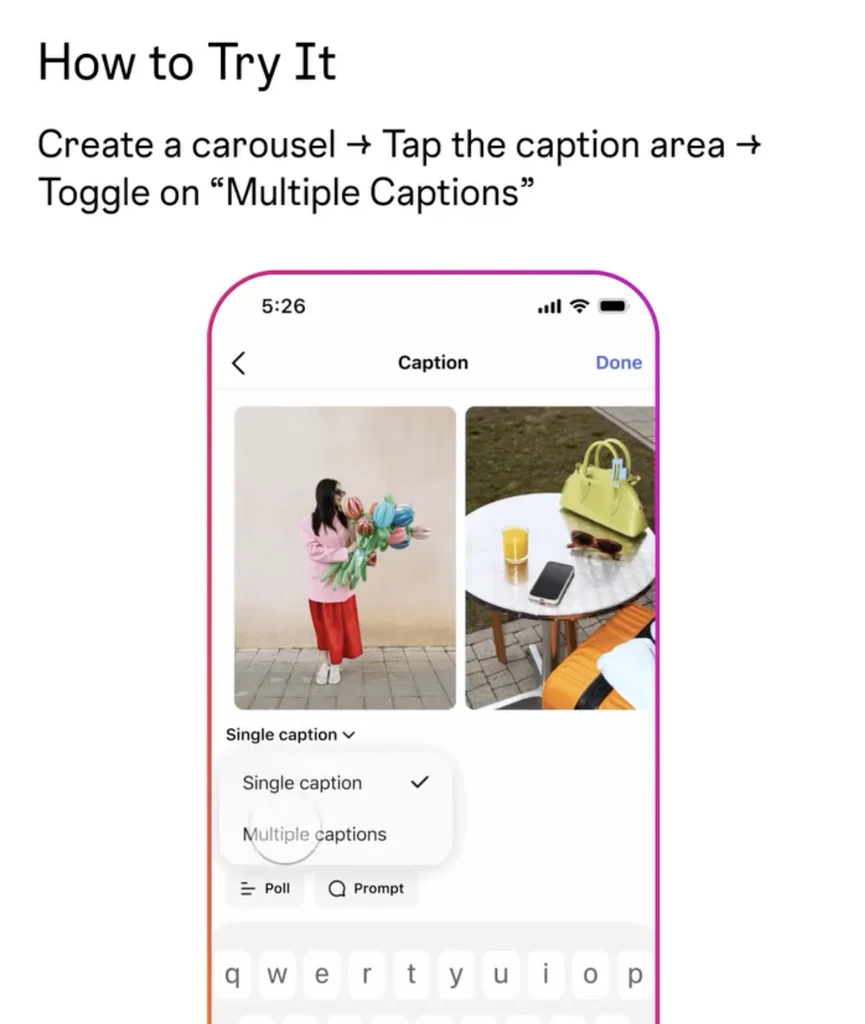
1. Individual Captions for Each Carousel Slide
Finally, a long-requested feature has arrived: every slide in your carousel can now have its own caption.
Previously, carousels forced you into a single caption for all slides – awkward when you wanted to highlight different details on different images. Now, each swipe gets its own fresh caption.
Why this matters for designers: This is a game-changer for SEO and engagement. Instead of cramming key words into one long caption and hoping your customers notice key information while scrolling, you can now break your story into bite-sized sections.
For example, when launching a new pattern, slide one might introduce the design and direct makers to your GoSadi DLP. Slide two could highlight sizing options with keywords like “oversized sweater” or “fitted cardigan.” Slide three might showcase the stitch pattern with relevant search terms. Each caption works independently, boosting your posts overall visibility in search while keeping your audience engaged through their scroll.
You’re also telling a better story. Each swipe can progress the narrative, encouraging viewers to swipe through rather than scanning one overwhelming caption.
This feature is rolling out over the next few weeks to more accounts, so check if you have access and start planning your carousel strategy.
Learn More
2. Compare Up to Three Reels Side-by-Side
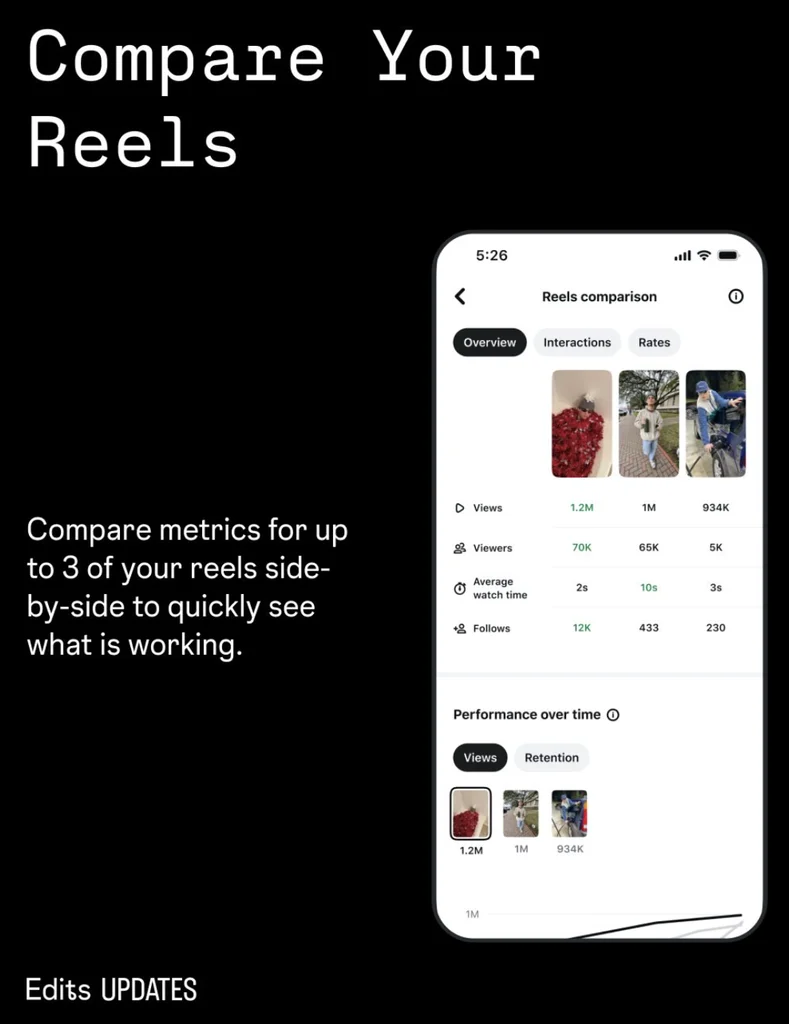
Instagram’s Edits app now lets you compare the performance of up to three reels simultaneously, pulling out some of the manual labor from analytics tracking.
Why this matters for designers: Understanding what resonates with your audience is crucial for growing your reach. But manually tracking which reels perform best takes time. This feature streamlines the process.
Compare three reels and identify patterns. Which hooks drew clicks? What thumbnail images encouraged viewers to watch the full video? Which calls-to-action generated saves and shares? Once you identify what’s working, replicate it in your next videos.
If you’re teaching a technique in one reel and showing finished projects in another, you’ll see which format your audience prefers. Use that insight to guide your content creation strategy going forward.
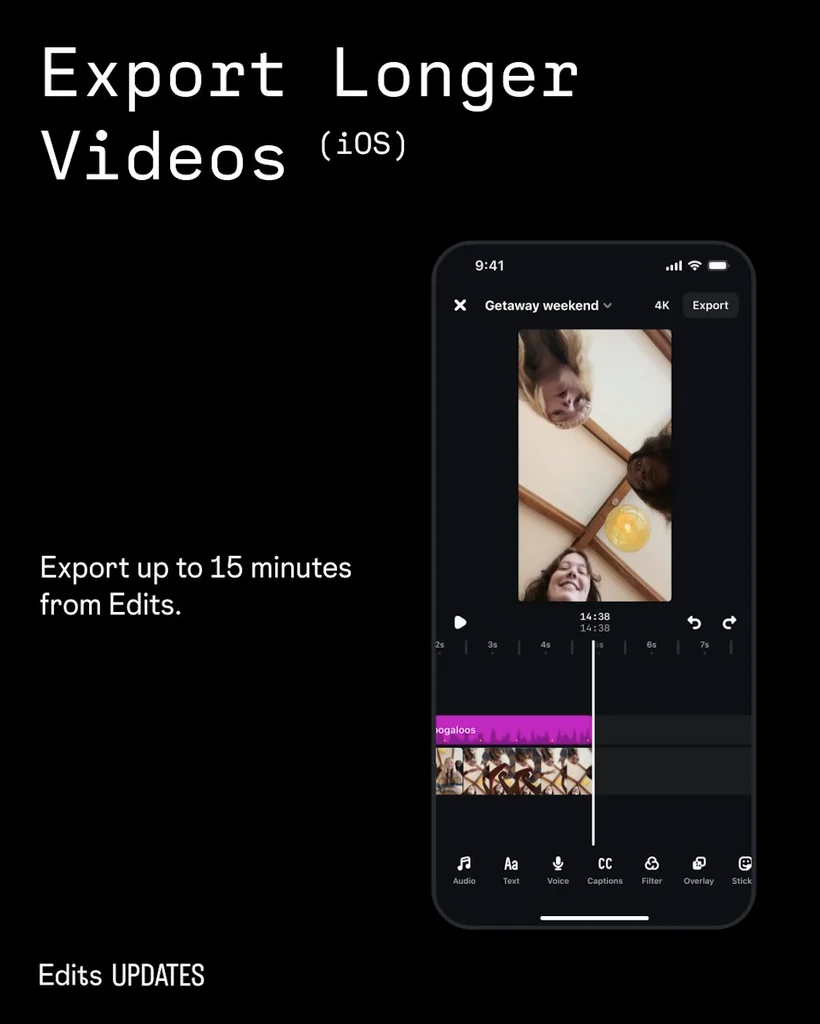
3. Extended Video Exports Up to 15 Minutes
The Edits app on iOS now supports video exports up to 15 minutes long — a significant jump from previous limits.
Why this matters for designers: Instagram has been moving toward longer-form content for a while, despite consumer feedback suggesting shorter attention spans. This update signals Meta’s commitment to competing with YouTube.
For pattern designers, this opens possibilities. A 15-minute video could be a complete pattern tutorial, a behind-the-scenes design process walkthrough, or a pattern Q&A session. These longer formats build a deeper connection with your audience than 60-90 second reels.
You don’t need to abandon short-form content — continue creating reels and shorts. But consider whether longer videos would serve your community. Someone learning a complex technique appreciates 15 minutes of clear instruction. While someone discovering your brand for the first time might prefer a 30-second hook.
4. Reorder Your Profile Grid
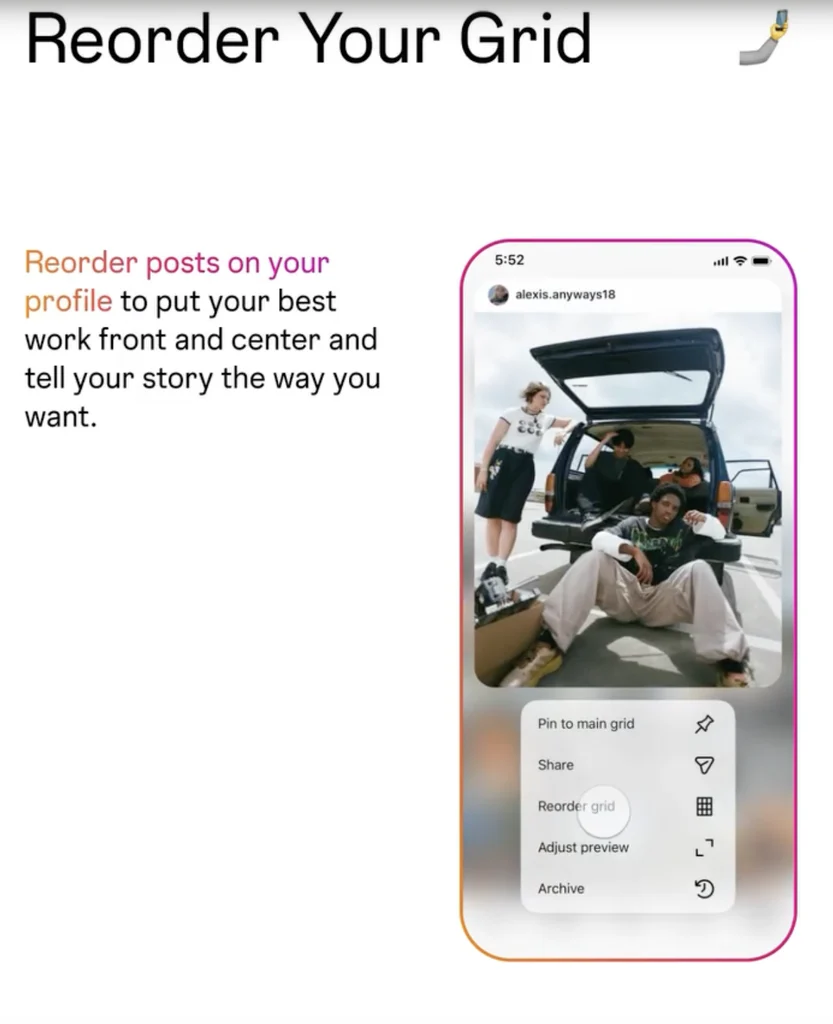
You can now rearrange posts on your main profile grid without pinning — simply tap and hold any post, select “reorder grid,” and drag content into your desired position. Changes are saved immediately.
Why this matters for designers: Your profile is often the first impression potential customers have of your work. Strategic ordering showcases your best designs prominently.
Seasonal patterns can move to the top during relevant seasons without unpinning your three-post limit. Launch announcements can stay visible longer. You can create visual cohesion by grouping similar garment types or color palettes together.
Your most impressive work deserves prominent placement on your profile. Keep updating your profile layout as your work evolves and seasons change.
5. Affiliate Links in Reels
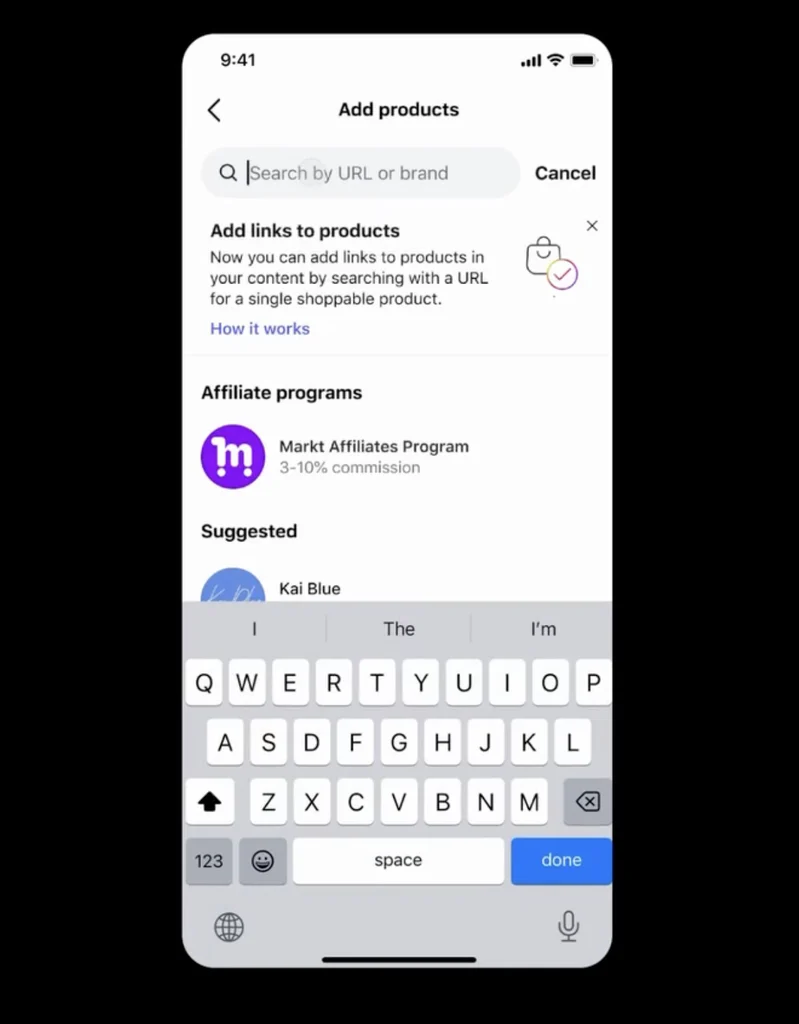
You can now tag products using affiliate links in your reels and earn commission when people shop your content. This feature is rolling out to more accounts gradually, and while it’s currently limited to physical products, opportunities to benefit still exist for pattern designers.
Why this matters for designers: If you partner with yarn companies, promote kits, or recommend supplies your audience needs, affiliate links offer income beyond pattern sales.
For example, film a reel teaching a technique and tag the specific yarn you’re using with an affiliate link. When viewers purchase that yarn, you earn commission. Film a reel showing finished projects made from your pattern and tag your blocking supplies, soaps, or notions.
Even if you don’t have direct affiliate partnerships yet, set this on your radar. As the feature expands, opportunities will grow.
Using These Updates Strategically
These five features share a common thread: they give you more control and more data. Control over how your content presents, how your profile appears, and how your audience experiences your work. Data about what resonates and what falls flat.
Stay Updated on Platform Changes
Instagram updates roll out constantly, and it’s impossible to catch every new feature independently. That’s why staying connected to the community matters.
Subscribe to the GoSadi newsletter to stay informed as new features launch. We highlight updates and opportunities that matter for creators like you every other week.
Continue Learning: